
Fireplace Remote Control Replacement — What Actually Needs Replacing, and What You Can Just Re-Pair
Most “I need a new remote” calls in the Valley end with a fresh nine-volt battery in the receiver — not a new handheld. Here’s how to tell which one you actually have, what a real replacement costs, and how to pick the right unit so you’re not back in the firebox six months later.
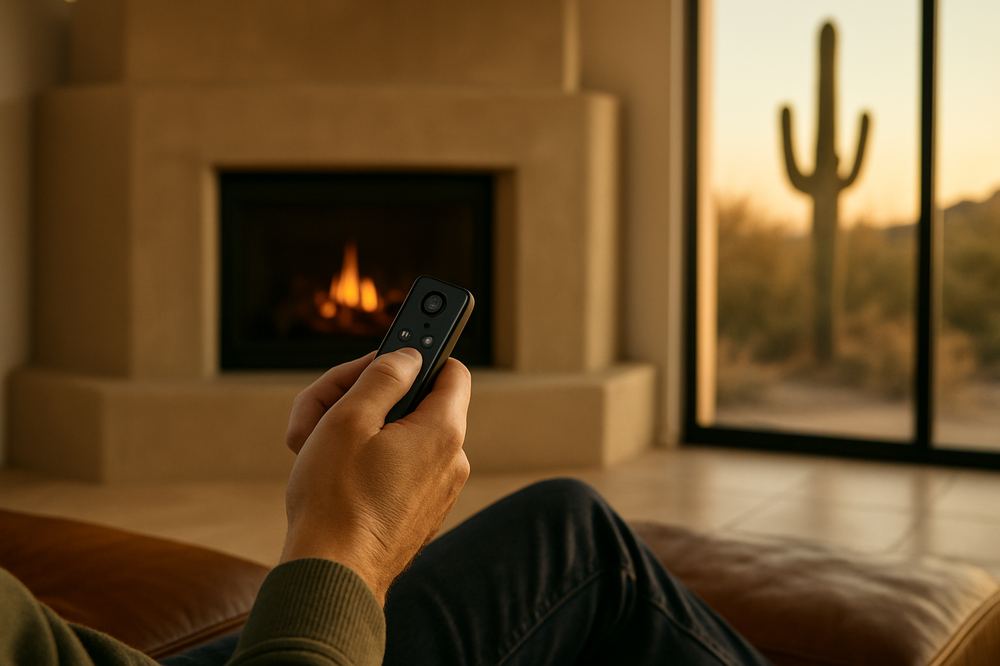
In Mesa gas inserts from the late 80s and early 90s, the original handheld remote is almost always a small two-button Skytech-style unit. Nine times out of ten the homeowner thinks the handheld is dead — and it is — but the actual problem is the receiver battery inside the firebox, the one nobody knows exists until we open the lower panel. Five-dollar part. Forty-minute fix.
The receiver battery is the answer most of the time
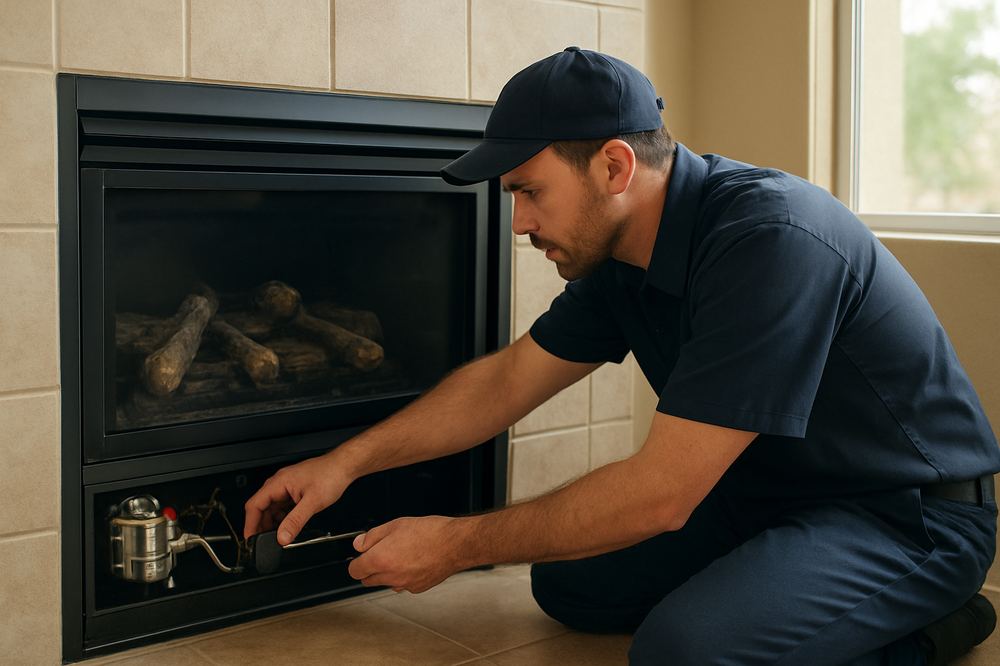
Every gas-fireplace remote system has two parts. The handheld is the obvious one. The receiver is the small black plastic box, usually about the size of a deck of cards, tucked behind the lower louvered access panel and wired into the gas valve. The receiver almost always runs on four AA batteries or a nine-volt — and that battery is the part that dies first.
- The handheld sends a signal. The receiver hears it and switches the gas valve.
- The handheld has a single CR2032 coin cell or two AAA batteries — those last 2-3 years.
- The receiver inside the firebox has four AA or one nine-volt — and those last about 18 months in a Phoenix home because the firebox runs hot all winter.
- When the receiver battery dies, the handheld still lights up, still beeps, still looks fine. The fireplace just won’t respond.
If you’ve never opened the lower access panel and put a fresh battery in the receiver, do that before you buy anything. Pull the louvered grate at the bottom, find the black plastic module wired to the valve, swap the batteries, try the handheld again. That’s the actual fix for roughly 80% of “remote not working” calls we take in Phoenix, Scottsdale, Mesa, and Chandler.
How to tell the handheld is the part that needs replacing
Once the receiver battery is fresh, do this:
- Press the ON button on the handheld with the unit pointed at the receiver, less than six feet away. If the receiver clicks (you’ll hear a faint relay) but the fireplace doesn’t light, the remote is fine — the issue is the gas side. Stop and call a tech.
- If the receiver doesn’t click and you’ve already changed both batteries, hold the handheld up to your phone camera and press a button — the IR LED at the top should glow purple-white on the screen. If it doesn’t glow, the handheld is dead.
- Some Skytech and Maxitrol systems use RF, not IR, so the phone-camera trick won’t work. For those, the only way to confirm is to try a known-good handheld of the same model.
Once you’ve confirmed the handheld is the problem, the next question is which one you actually need.
Four real options, ranked by what we install most often
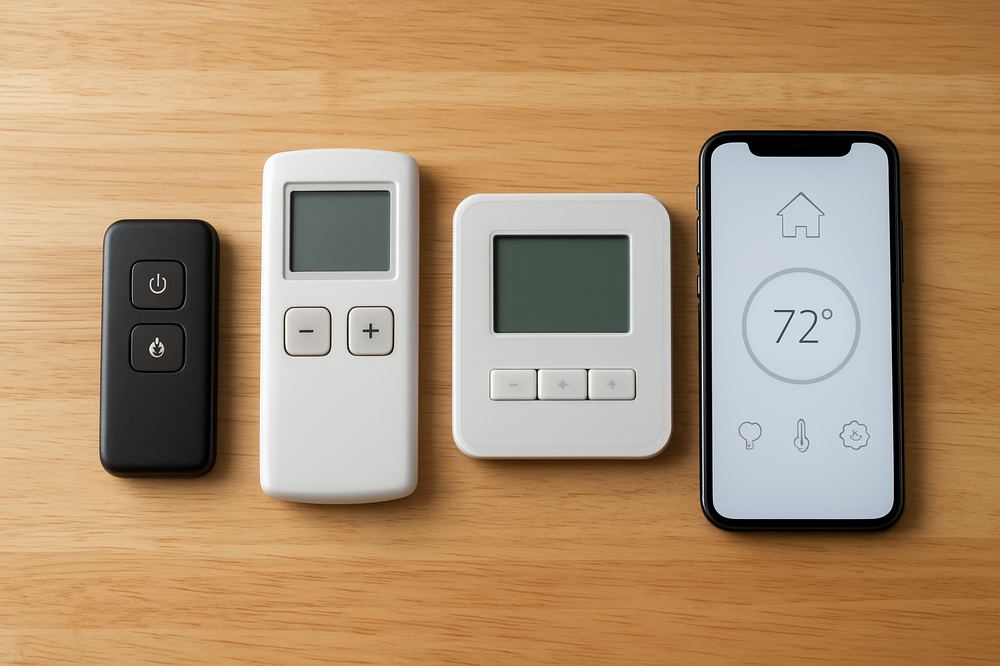
Generic Amazon “universal” remotes do not pair with millivolt gas-valve systems — they’re built for newer 24V controls. If your insert is from the 90s or early 2000s, a universal won’t work. Here’s what does:
- Same-model replacement handheld. If the receiver is fine and you just need a new transmitter, get the exact same model. Skytech 1001-A pairs to Skytech 1001-A receivers, period. The model number is printed on the battery-compartment door.
- Thermostatic LCD remote with timer. Worth the upgrade if you want temperature control, programmable on-off, and a child lock. Most Skytech and Maxitrol receivers will pair to the higher-tier handheld in the same product family without changing the receiver.
- Wall-mounted thermostat controller. If the handheld keeps getting lost in the couch cushions, hard-wire a wall thermostat. The dispatch electrician will fish a thermostat cable from the firebox to a switch box on the wall. About 90 minutes of labor in a single-story Phoenix home.
- Smart-home integration. For Scottsdale and DC Ranch homeowners running Lutron, Control4, or Brilliant, we install a Wi-Fi-capable receiver (Skytech AF-LMF or similar) that bridges to the home system. Worth it if you’re already in the smart-home stack.
Pairing a new handheld — the part the YouTube videos skip
Most replacement handhelds ship un-paired. Pairing is a 30-second job once you know the sequence:
- Put a fresh battery in both the receiver and the handheld.
- Find the small button on the receiver — usually labeled “Reset,” “Learn,” or “Pair.” It’s recessed; you’ll need a paperclip.
- Press and hold the receiver button until you hear two short beeps.
- Within ten seconds, press the ON button on the handheld until you hear one long beep.
- Done. Test it.
If your receiver has DIP switches instead of a pair button (common on units from before 2010), set the DIP switch pattern on the handheld to match the receiver. Open both battery compartments, look at the four-to-eight tiny switches, copy the pattern. Five-second fix once you know.
When a “remote” problem isn’t a remote problem
Two situations where new handhelds don’t fix anything:
- Failed thermopile. If the pilot lights but the burner won’t fire even when you bridge the wall-switch terminals on the valve directly, the thermopile is dead. That’s a small part swap and about 45 minutes of labor. No remote in the world fixes a 200-millivolt thermopile reading instead of the 600 millivolts the valve needs.
- Failed gas valve. If the receiver clicks audibly when you press the handheld, but no gas flows, the valve solenoid is bad. That’s a longer valve swap that takes about an hour, and on Scottsdale inserts older than 25 years it’s often the moment to talk about replacement instead.
Both failure modes look exactly like “remote not working” to a homeowner. We diagnose them on the first visit and quote against the actual finding, not the assumption.
Frequently Asked Questions
Why isn’t my fireplace remote working?
Eighty percent of the time it’s the battery in the receiver — often hidden inside the firebox, not just the handheld. Also check for receiver dust fouling, transmitter battery, and that the unit’s on/off switch on the valve is set to Remote mode.
Why is my fireplace making a clicking noise?
Clicking during ignition is the igniter trying to spark the pilot or burner — a normal sound. Clicking when the fireplace is off usually means the electronic control is stuck trying to ignite, often caused by a dirty pilot tube or a failed ignition board.
Should I repair or replace my gas fireplace?
Repair is usually the right call if the unit is under 15 years old, parts are available, and the fix is under a third of replacement cost. Replacement makes sense when the unit is obsolete, parts are discontinued, or efficiency and safety have become issues.
How often should a gas fireplace be serviced in Arizona?
Annual service is the standard recommendation — one tune-up per year keeps the pilot assembly clean, the igniter components tested, and the gas valve verified. In Arizona the dust accumulation from dry summers and monsoon-driven fine particulates makes annual cleaning more important than in milder climates.
Why won’t my gas fireplace light?
The most common causes are a dirty or drifted pilot assembly, a failed thermocouple or thermopile, a weak igniter, or a gas supply issue. In Arizona, dust infiltration through the off-season is the number one cause we see when fireplaces fail to light on the first cool evening of October.
Start With a Professional $99 Inspection
A fireplace specialist evaluates the fireplace, explains what they find, and gives you written pricing before any work begins.
Book Your $99 Fireplace Inspection
We’ll evaluate the fireplace, explain what we find, and provide clear written options — before any work begins.
Phoenix · Scottsdale · Mesa · Tempe · Chandler · Greater Valley